
Hocoos
AI Website Builder / CMS / E-Commerce / Marketing / Booking / SEO & Analytics
My role
Timeline
Team size
Link
Product
An AI-powered website builder for small businesses, offering customizable templates, live editing, and essential tools. It includes marketing features, e-commerce, booking, blogging, event hosting, video courses, and others. A file manager simplifies content uploads, while engagement tools like comments and testimonials enhance customer interaction.
USers
Our users are small business owners, freelancers, and service providers in beauty, wellness, retail, events, consulting, and creative fields. They create portfolios, blogs, stores, bookings, and event pages with ease using our customizable, AI-powered website builder.
Context
I joined during concept development, working with a team of six product designers. While collaborating on research and brainstorming, I focused on e-commerce, testimonials, live editing, onboarding, and design system updates, while also contributing to other flows.
activities
- A/B/C testing
- Usability testing
- Competitor analysis
- Responsive design (web, mobile, tablet)
- Prototyping
Problem
In 2020, most website builders lacked AI-driven features, requiring extensive manual customization. Additionally, the standard layout was limited, with inputs on the left and previews on the right, restricting flexibility and user experience.
Solution
We developed a next-generation magic (now AI-powered) website builder with customizable templates, predefined styles, and themes. It features real-time live editing, allowing users to modify all displayed elements seamlessly for a more intuitive and efficient design experience.
Main Functional
Dashboard

Settings
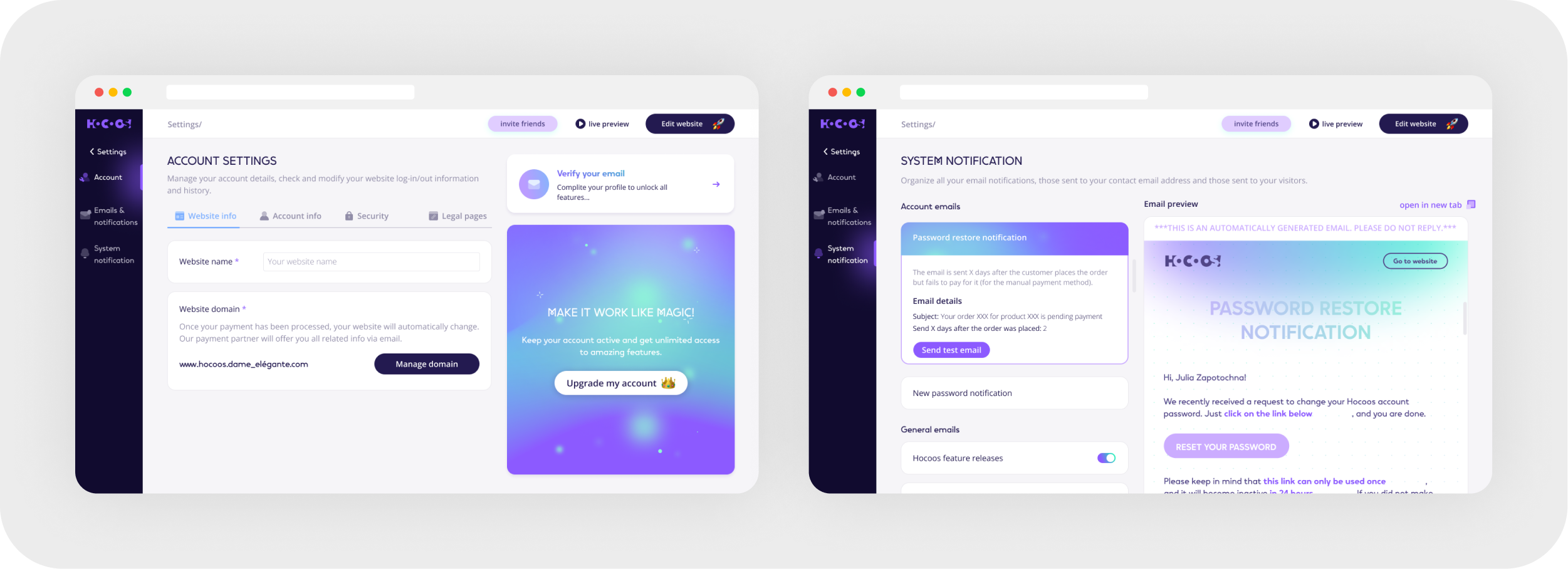
Marketing & Analytics
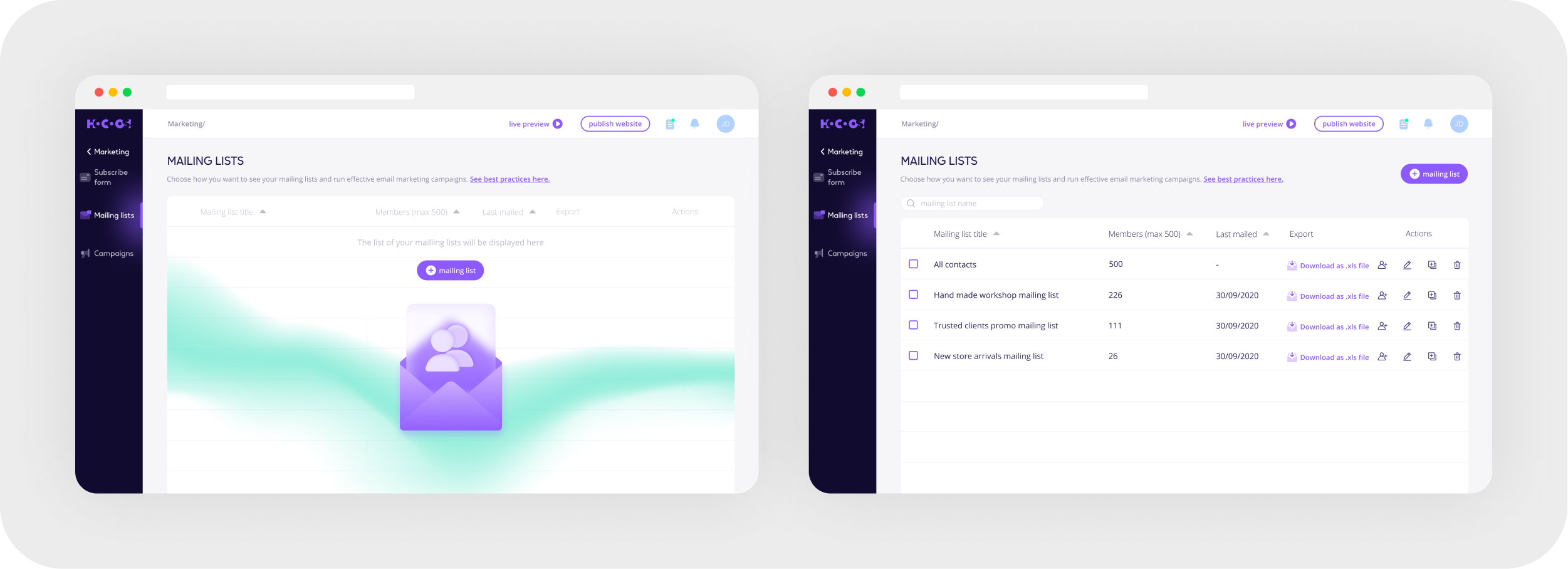
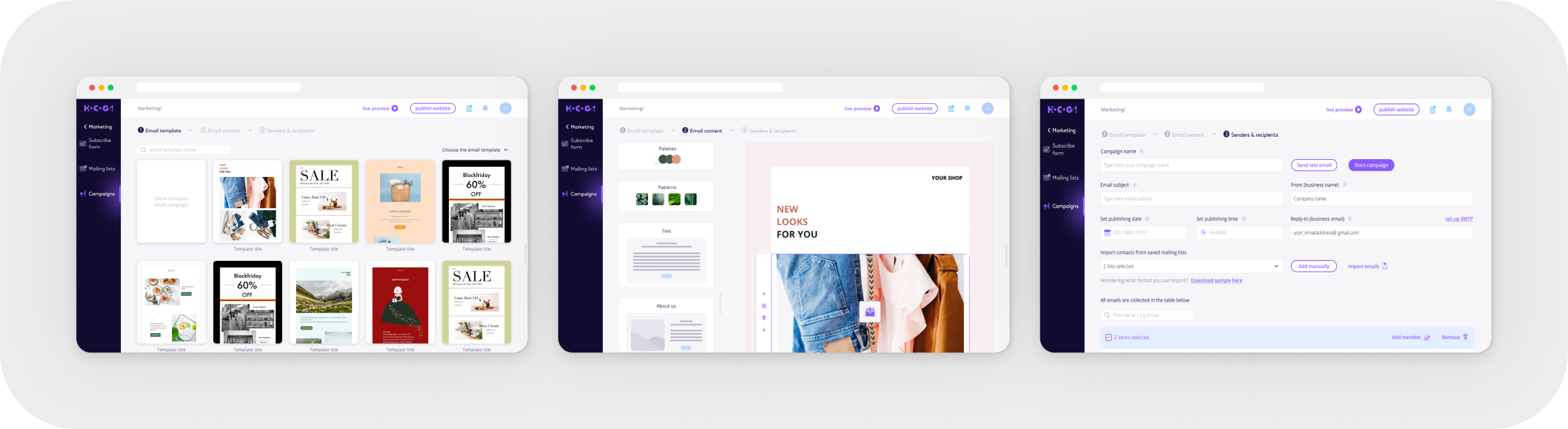
Launch email campaigns and track performance with built-in analytics.

Mailing list
Email campaigns
Integrations & Social links

Editor

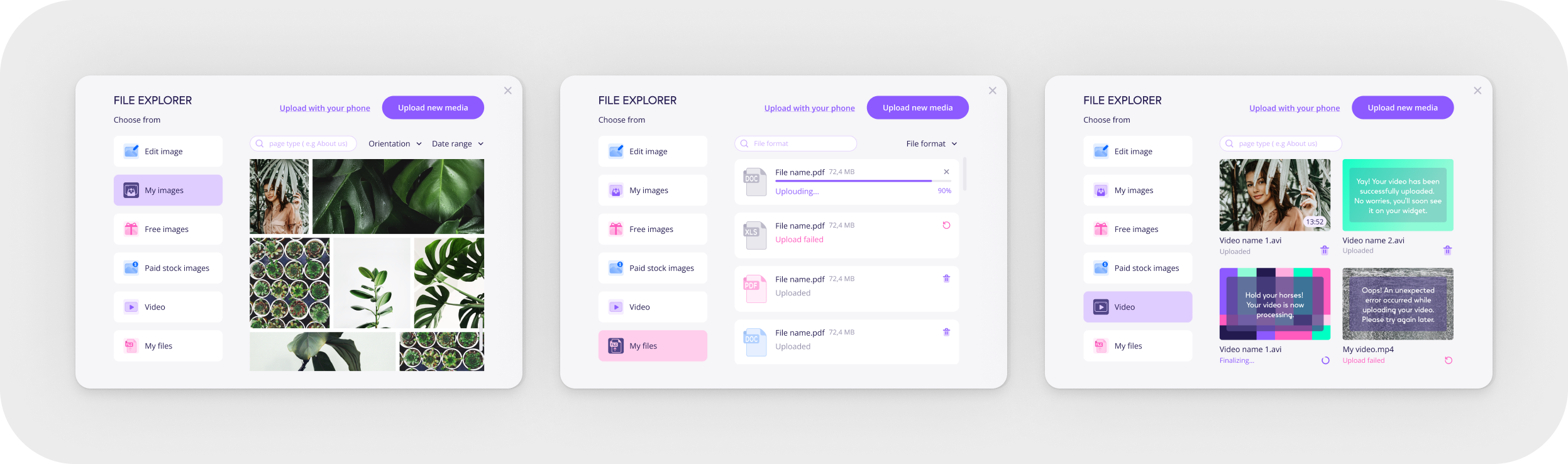
File Management
Upload, store, and organize files easily with an integrated file manager.
E-commerce Integration
Sell products directly through the platform with a built-in store

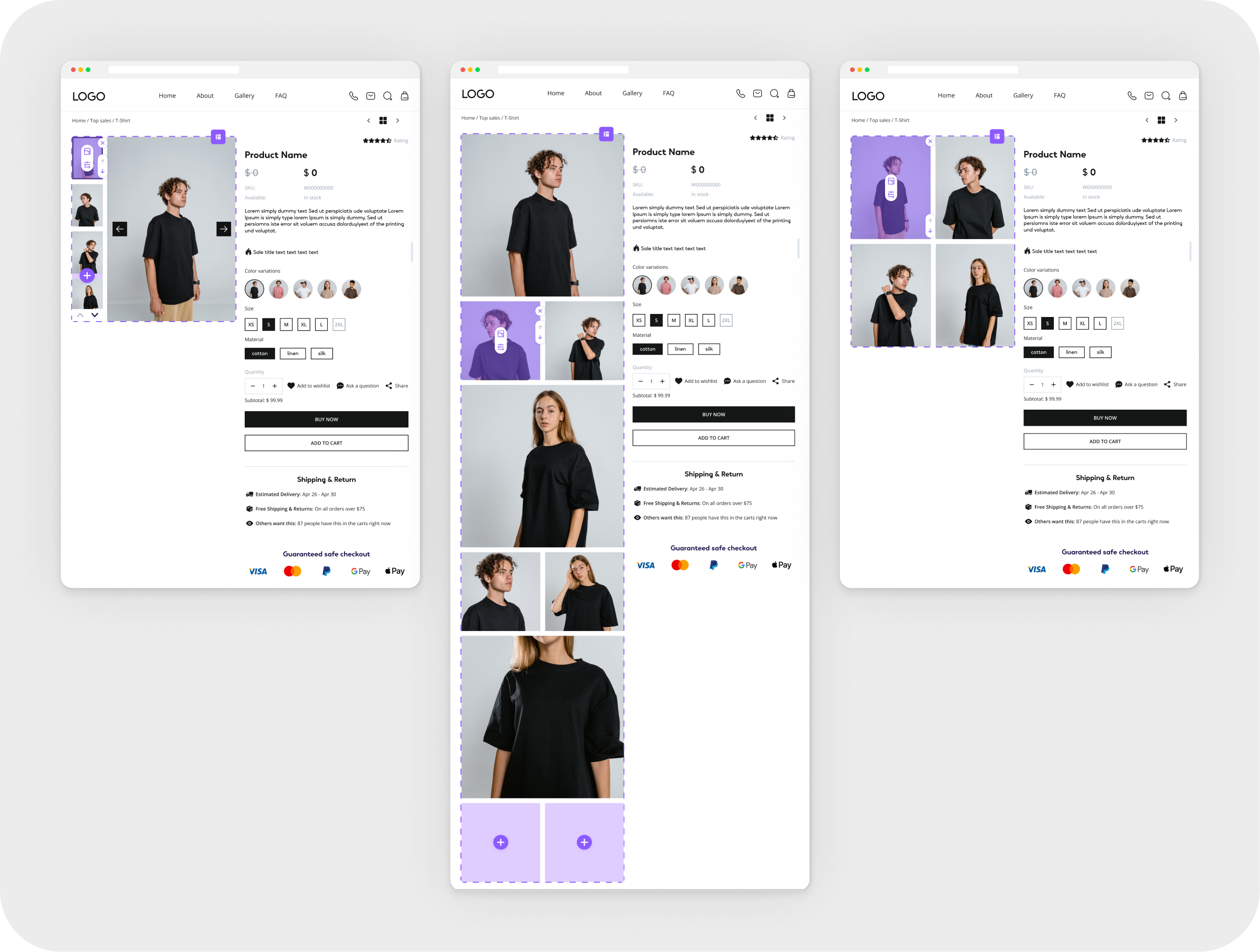
Product page
Determined the best sequence of page blocks allowing to change the visual variation of informational blocks, as well as eliminating the unnecessary ones.

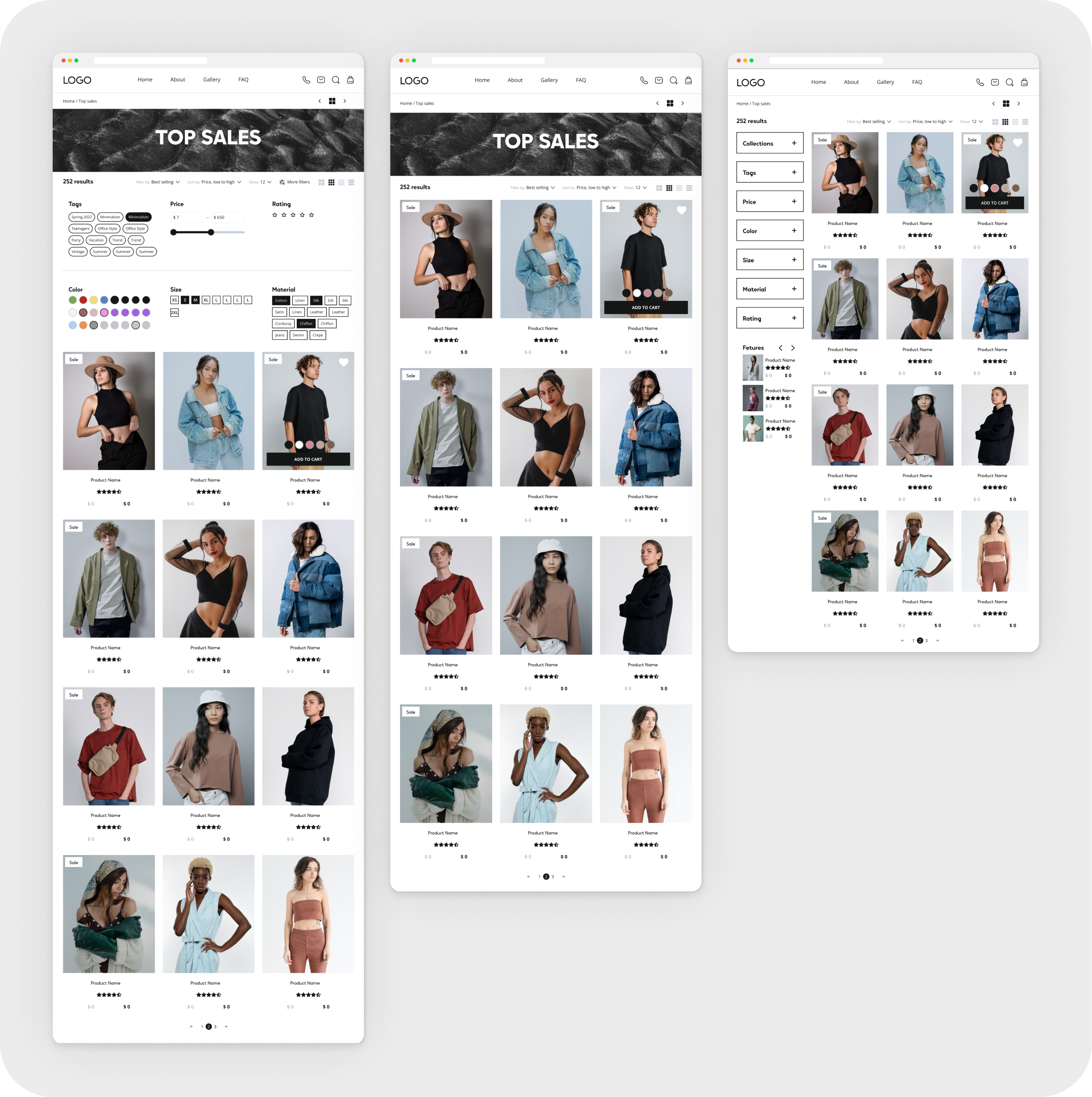
Collection pages
Defined basic settings: adding filters or a sidebar and changing the number of products in a row.

Shopping cart & Checkout
Conducted research determining that long checkout procedure proves ineffective as users tend to fall out in the process.
Created a system that allows self-filling checkout pulling the information, such as payment & shipping methods from the website.

Shipping
Created a Shipping system which is suitable for any type of business and allows determine Shipping fees depending on the country and region of the delivery location.

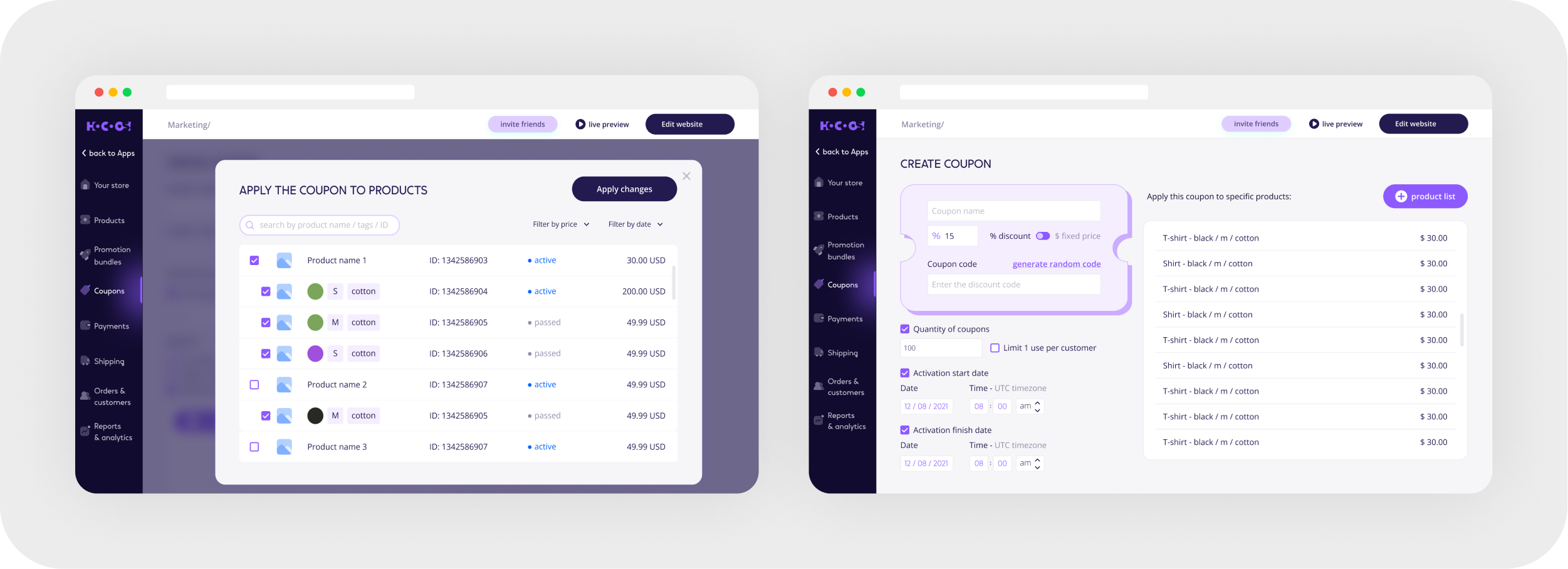
Discounts & Coupons
Designed easy coupon settings which allow enabling discounts for any product or collection of products quickly and efficiently.
Promotion bundles*
Created various blocks and settings to group products into a bundle and a system to suggest similar products for promo bundles.
*Bundles are a good solution to sell multiple products together at a discount.


Content & Blogging
Create blogs, publish articles, and manage a dynamic content hub.

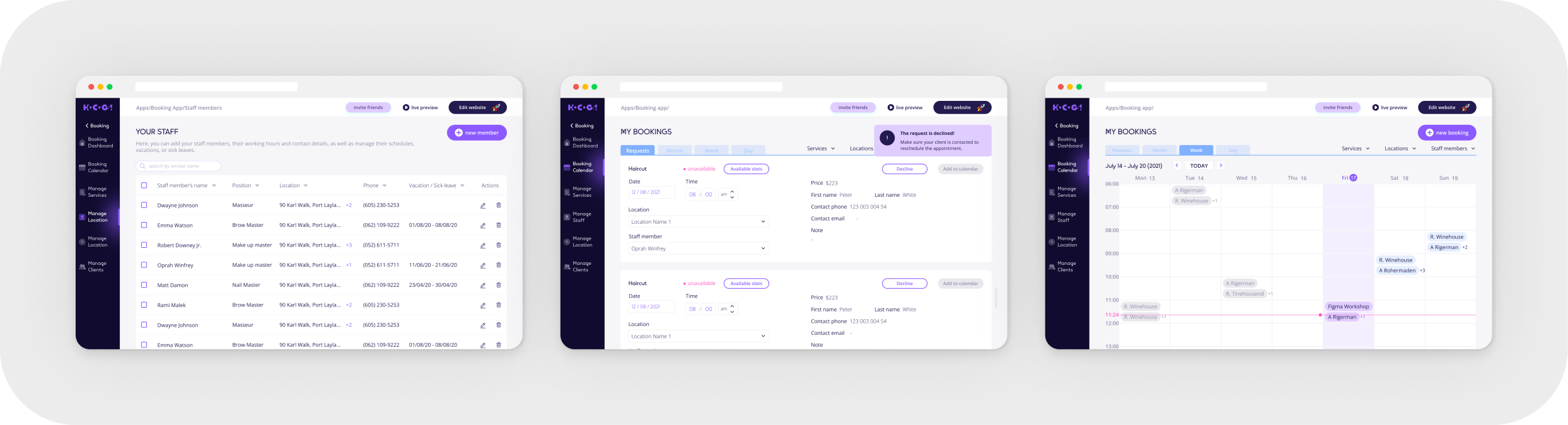
Booking & Appointments
Offer scheduling and booking services seamlessly.
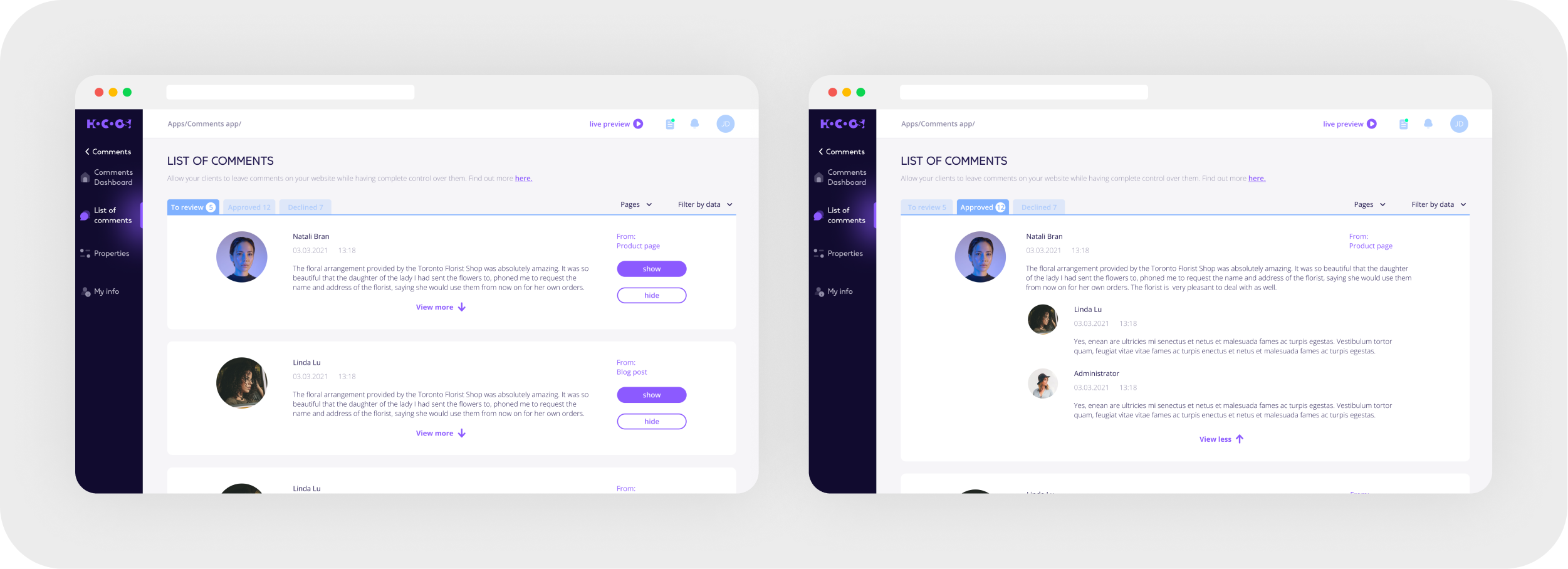
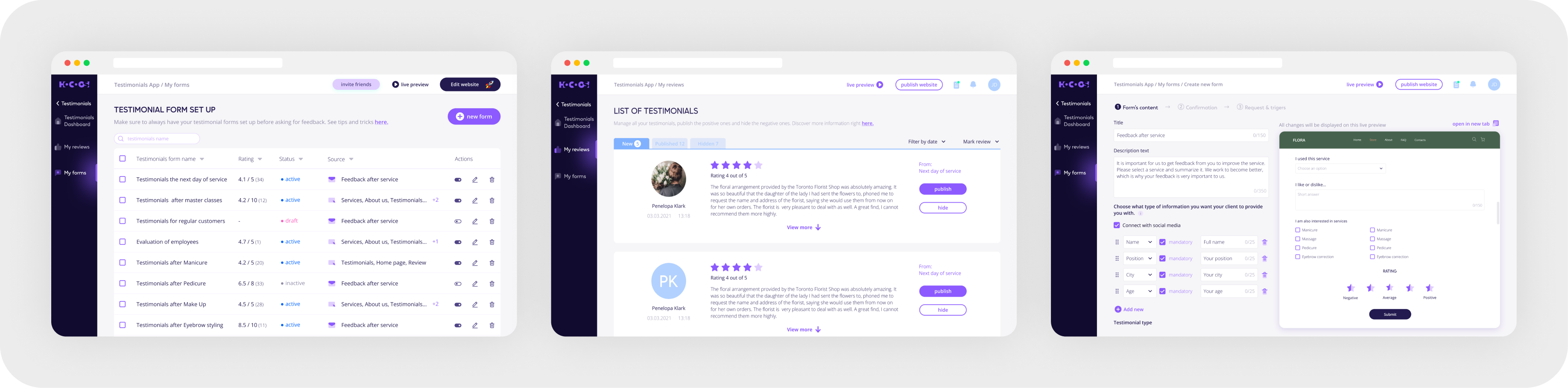
Comment & Testimonials
Enable comments, collect customer reviews, and showcase testimonials.
Video E-learning
Sell and distribute video lectures within the platform.
Event Management
Create, promote, and manage events effortlessly.
Work Process
Onboarding
Problem
Currently, due to the high level of competition in the website-builder market, it's challenging to stand out and capture the attention of potential customers. How can we help the user to create and customize a website quickly and efficiently?
Solution
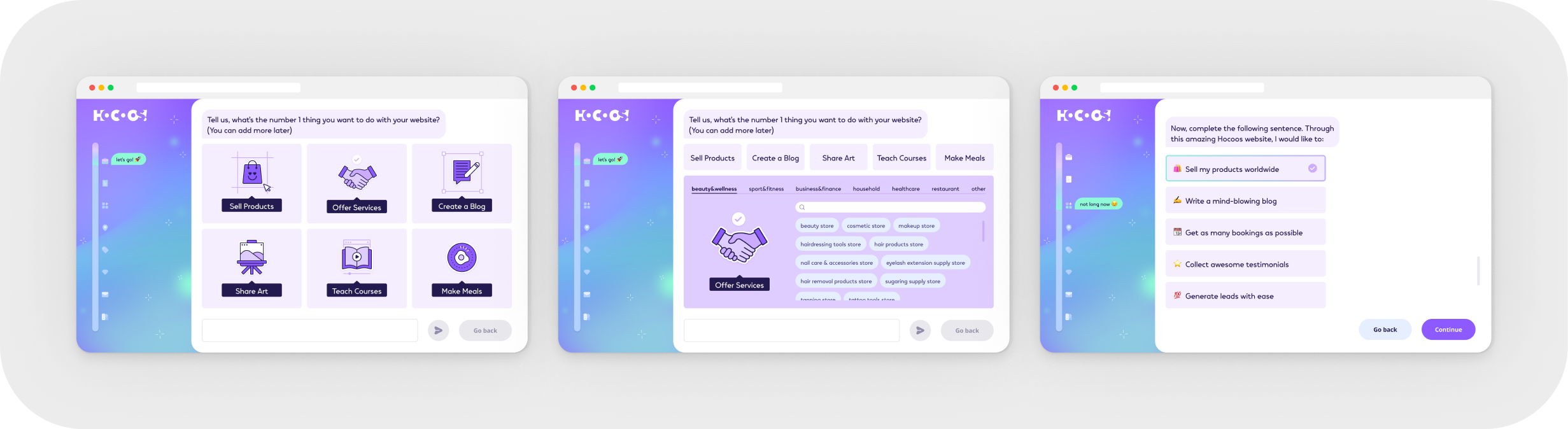
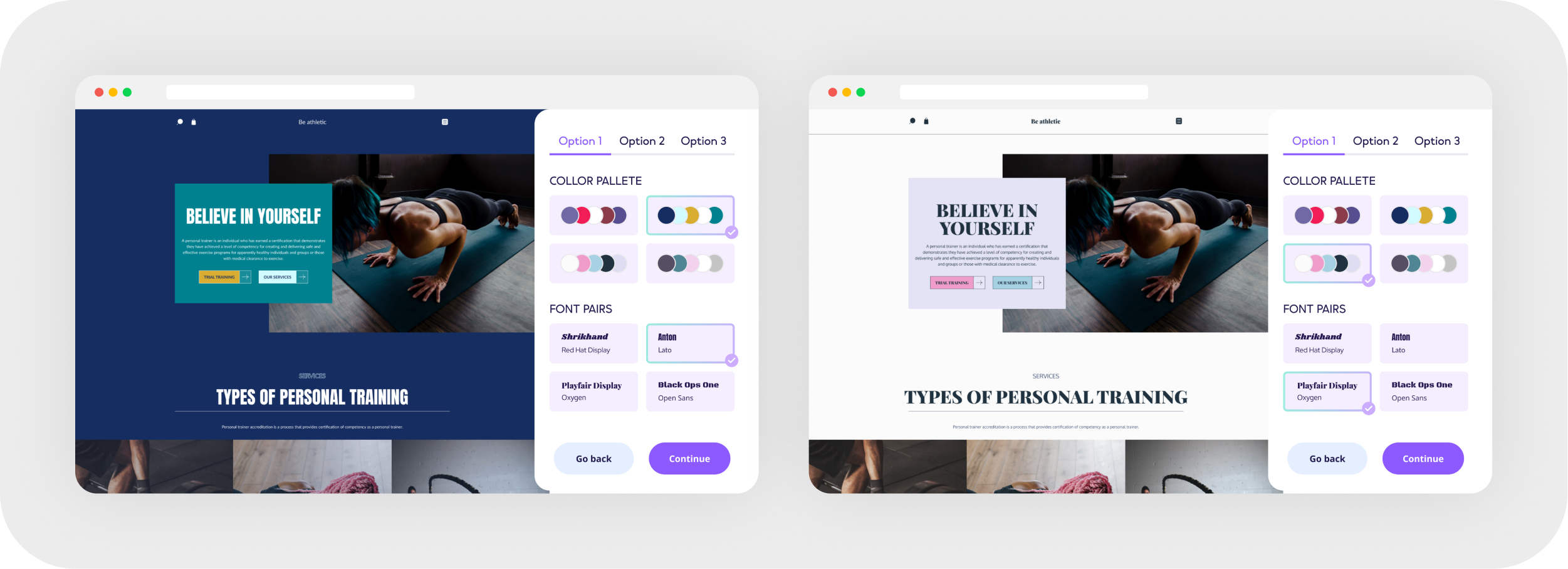
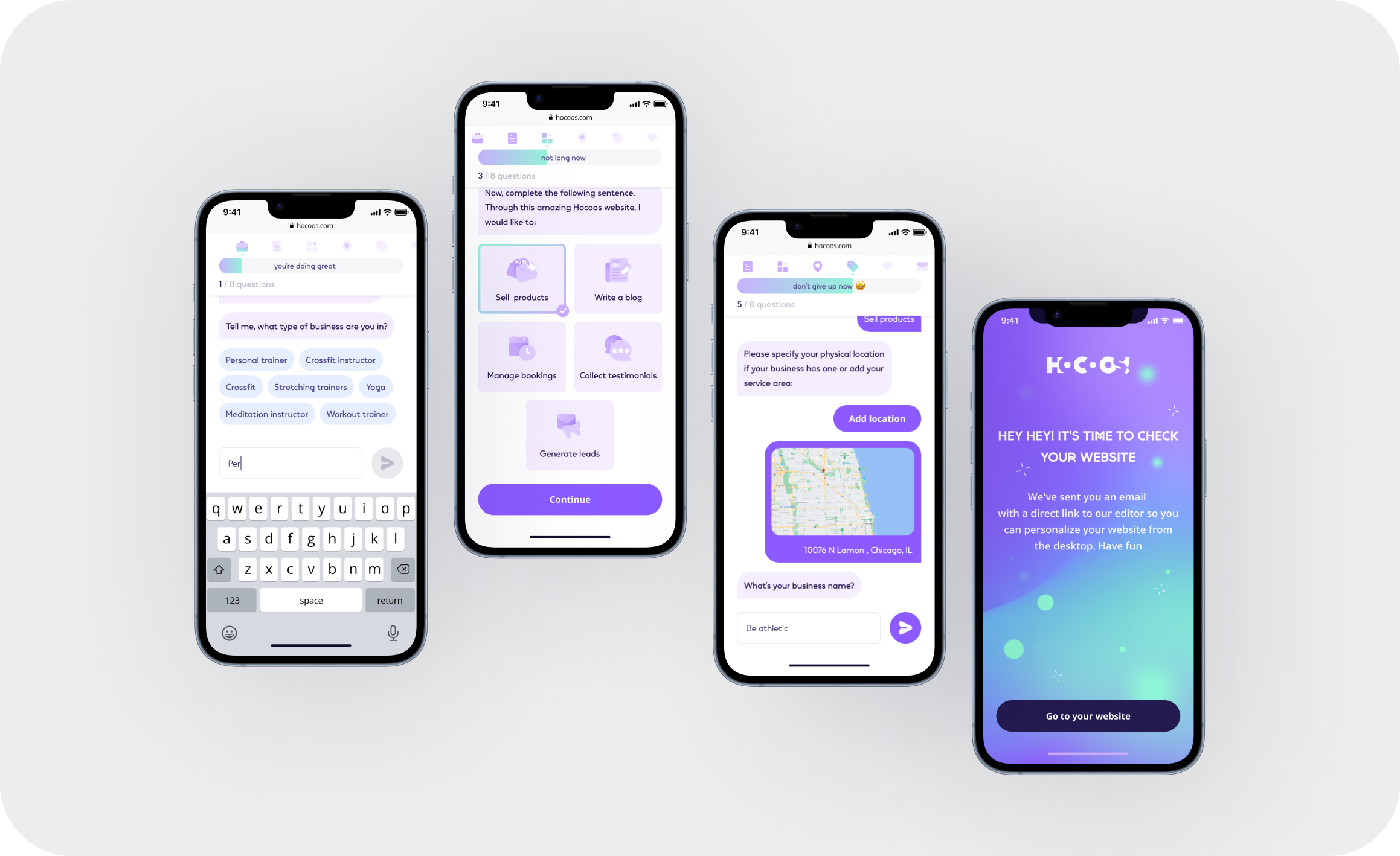
Create a quick Wizard Onboarding that can help users develop a personalized website in a matter of minutes. Real-time customization is our main difference and advantage over competitors.
Confirmed Hypotheses & Metrics
1. With the implementation of the wizard, the number of our customers will double.
2. The wizard generates 3 options (the most practical #) that best match the answers.
3. People don't want to create a website themselves, so if a wizard creates it for them, all they have to do is edit it and fill it with content.
Scope of work
- Competitor Analysis
- User Stories & Empathy map
- Product hypothesis
- Usability testing
- A/B/C testing
Competitive analysis
The onboarding process of 20 competitors was analyzed to determine their strengths and weaknesses.
The analysis helped to highlight the following main points:
1. Right questions that narrow the choice of offered templates to the most suitable for a user.
2. Prewriten multiple-choice answers that help to pass the wizard faster.
JTBD & Empathy map
Using JTBD to determine the target audience's needs & desires and find a way to create suitable questions.
Visualized the Empathy map to single out the main Pains & Gains, Think & Feel, Say & Do.
Usability testing & Insights
Problem
Due to the high volume of the Wizard questions, the users wouldn't complete the journey.
Solution
The minimum number of questions and multiple-choice answers contribute to the completion of the flow of setting up a website.
Problem
The lack of a mobile version has contributed to the decline of users as many of them attempted to access Wizard through their mobile phones.
Solution
Adaptability to allow completing the onboarding stages from mobile devices.
Problem
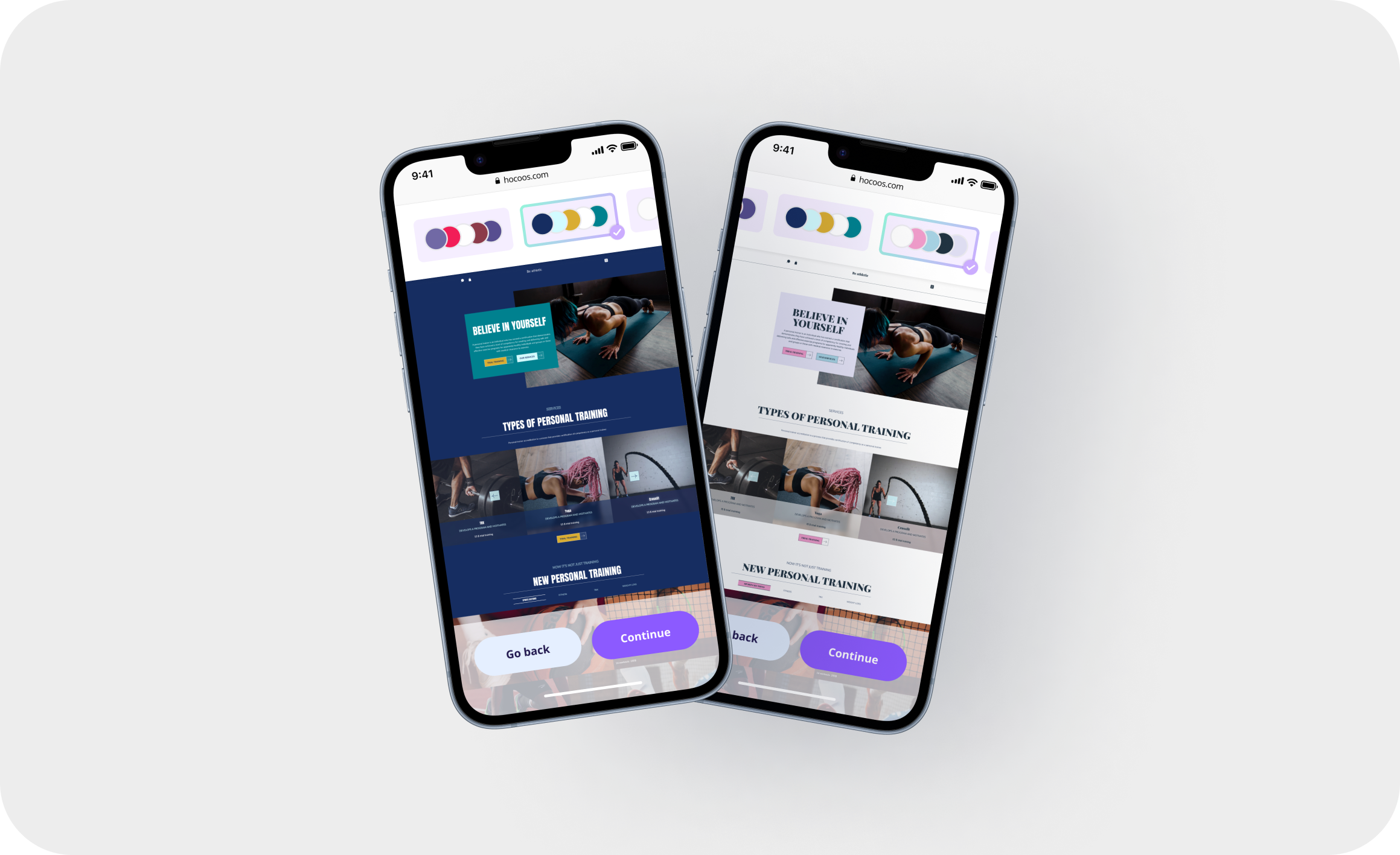
Certain UI solutions proved to be unsuccessful as users would often overlook important steps of the setting-up process* due to the ineffective visuals.
*e.g. question navigation bar, buttons back & skip
Solution
Titled every step of the journey. Changed the placement & and size of control buttons*.
*moved control buttons to the bottom of the page
A/B/C testing
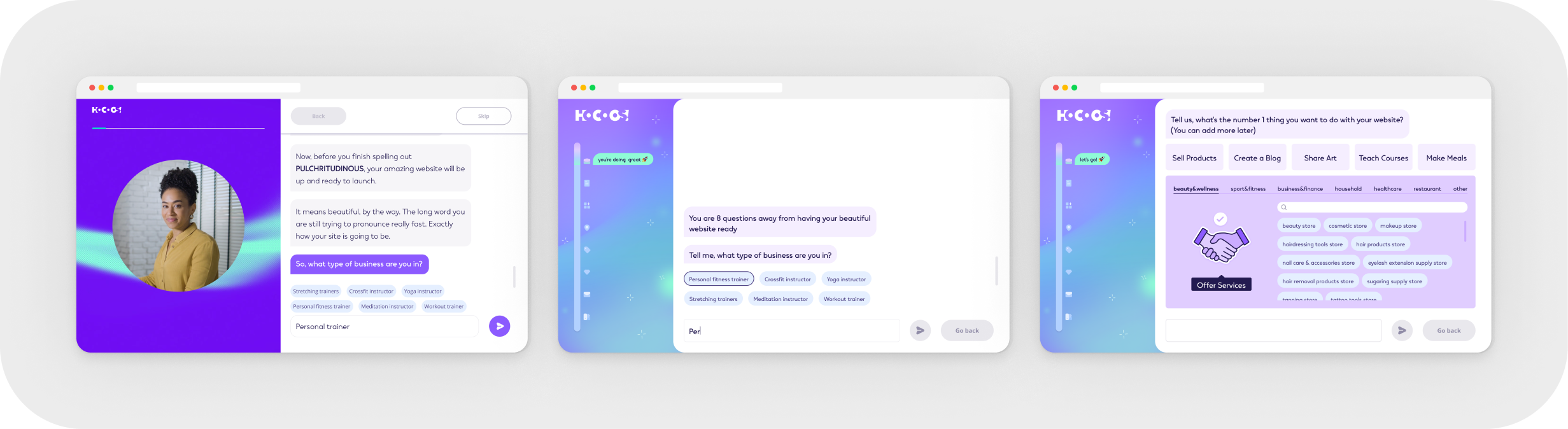
Created 3 identical flows:
- video questions.
- written questions
- illustrated questions.
Initial Hypothesis:
Video questions would receive more attention & traction.
A/B/C testing results
Video questions proved to be the least effective, as the majority of users would skip through them.
Written questions took second place proving to be more effective than a video questionnaire, yet less effective than its illustrated option
Store / Blog ... Onboarding

Change flow for Store
Store overview
To sell products online, the business owner needs to enable Store functionality to be able to access Product pages, Collection pages, Shopping cart, Checkout, and Wishlist; as well as configure Payment & Shipping methods, Discounts & Coupons, Promotions etc.
Problem
Due to the Store builder design, with configuration & editing on the left vs preview on the right, the flow was unclear causing user confusion and overall poor user experience.
Solution
The new concept allowed users to edit all elements through hover settings, making the template editing prosess much easier.
Additionally, this approach presented Hoocos with a big advantage over its competitors, as it made templates fully customizable.
Scope of work
- Competitor analysis
- Structure analysis of the most popular blocks of product and collection pages
- Functionality analysis of Shopping carts, Checkout
- Setting flow competitor analysis: Payment & Shipping methods, Discount & Coupon, Promotions.
- Prototype
- Visual design
Create Testimonials
Problem
Final consumers tend to avoid leaving product/service reviews which leads to businesses losing potential customers as a result of a lack of consumer feedback.
Solution
Designed an easily customized Testimonial system which works by automatically gathering feedback from final consumers after completion of transactions.
Creating Design system
Problem
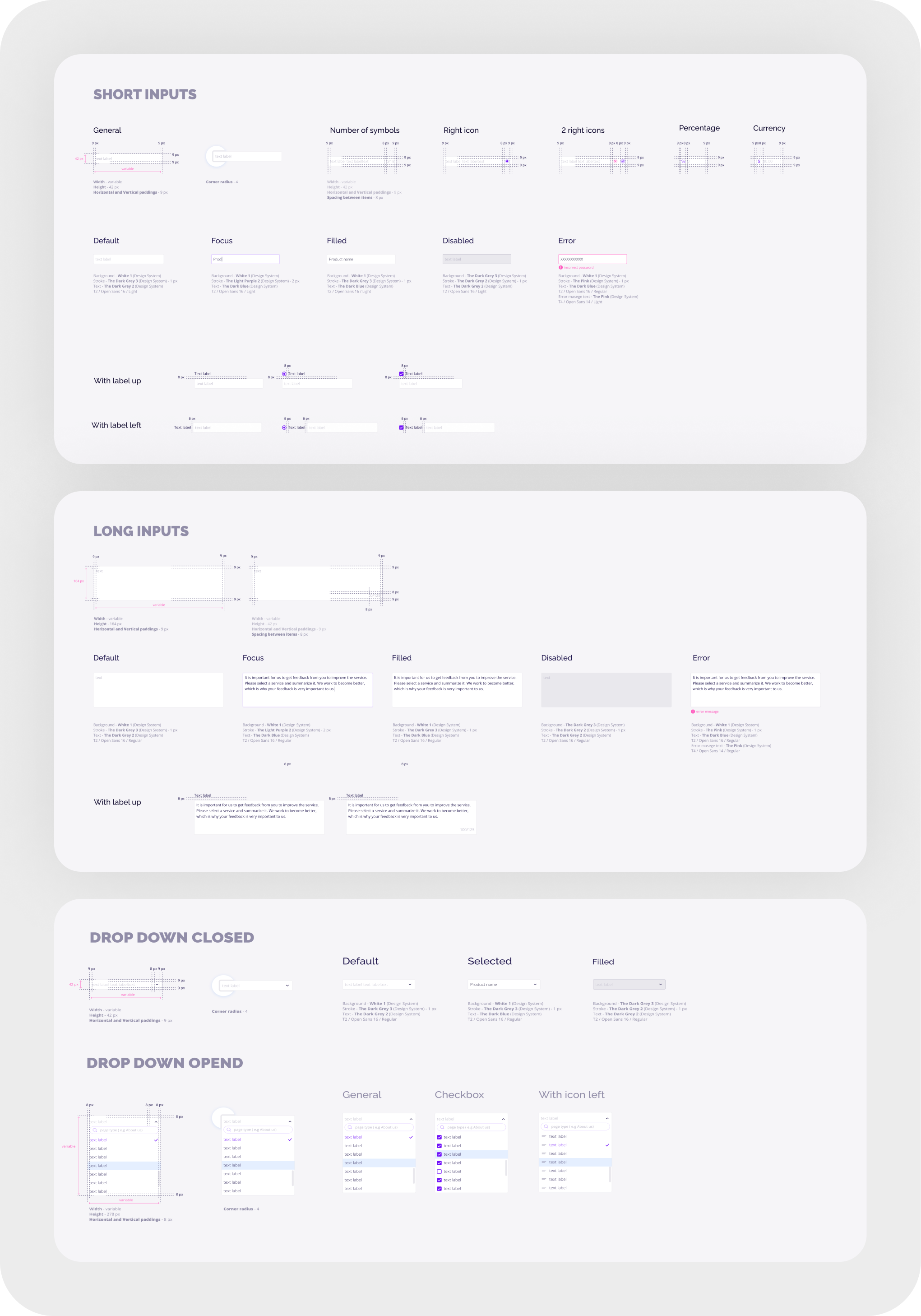
The lack of a design system led to an inability to determine the guideline principles, components, variants and other visual solutions of the system.
Solution
Created a design system describing mandatory principles, components, and guidelines to be used by design & developer teams when developing the product's functionality.
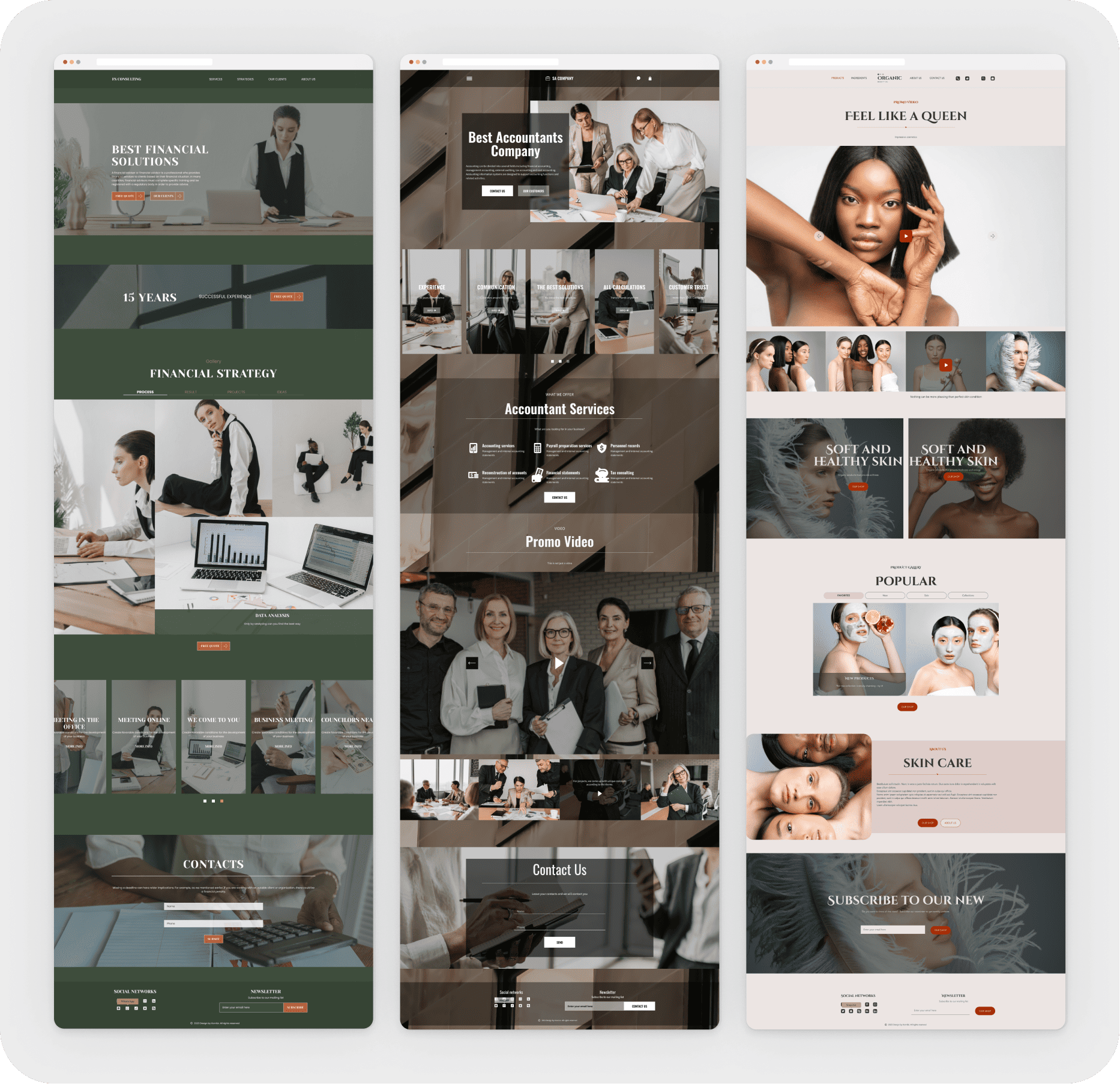
Create 2000 templates
Problem
To be able to offer users a various number of suitable options for their particular segment of business, the project required a vast database of templates.
Solution
Analyzed popular categories of various business websites to determine 2000 template themes.
Developed a tool for rapid automated creation of templates.
Involved 50 temporary freelancers to contribute to the creation of a
Scope of work
- Managed freelance content creators: reviewed their performance, and oversaw the quality of completed work.
- Ensured the quality of widgets (blocks) created by the developer team.
- Set up over 300 palettes, fonts & icons in the body and connected each colour to the elements of the widget.
- Independently created over 50 templates on various topics.


Main challenges
Responsiveness
Ensuring a seamless mobile experience was crucial, as users access websites from various devices. Although it’s a website builder, the onboarding wizard needed to be fully functional on mobile, and each widget had to adapt beautifully across screen sizes. I collaborated closely with frontend developers to refine widget responsiveness, ensuring font pairs and styles scaled proportionally while layouts adjusted dynamically to different device dimensions.
Manual Style and Theme Configuration
At that time, AI-powered automation wasn’t available, so I manually configured over 300 font pairings, color palettes, and style variations, ensuring they were properly linked to UI elements. Developers built an internal builder to help us streamline this process, but it still required meticulous adjustments to maintain consistency and flexibility.
Seamless Live Editing
Ensuring real-time editing worked smoothly without lags, even for complex layouts, required close collaboration with developers. I worked on optimizing rendering performance to maintain an intuitive editing experience.
Scalable Design System
Maintaining a consistent design system while allowing flexibility for future updates required careful planning. I worked on refining components to ensure they remained scalable and adaptable without losing visual cohesion.
Selected projects
I've gained valuable experience in both B2B and B2C environments, with a focus on industries like SaaS, E-commerce, Fintech, and Marketing.
WORK WITH ME
WORK WITH ME
WORK WITH ME
WORK WITH ME